
When you’re running PaaS in Azure and have a Web App but need to perform a quick ping for troubleshooting, you’ll miss the good old cmd that is not available in Web Apps.
You could spin up another VM in the same vNET to have more troubleshooting tools or you if you just need a simple ping, you can consider using PowerShell in Advanced Tools.
To do so, head to your Web App.
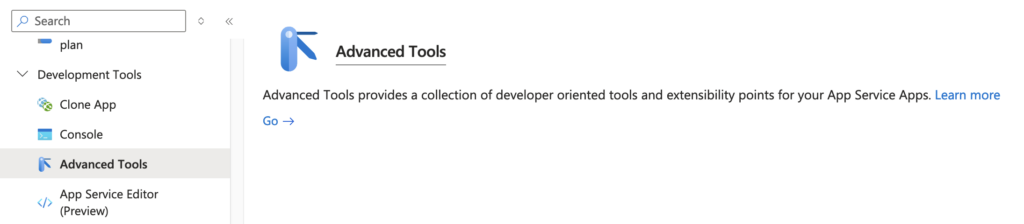
On the left pane:
1) Expand Development Tools
2) Click on Advanced Tools
3) Advanced Tools will load on the right side, now click on Go to open a new window to Kudu Plus
Under the Debug Console, you will click on PowerShell.

Page will now show you the PowerShell console from Kudu.

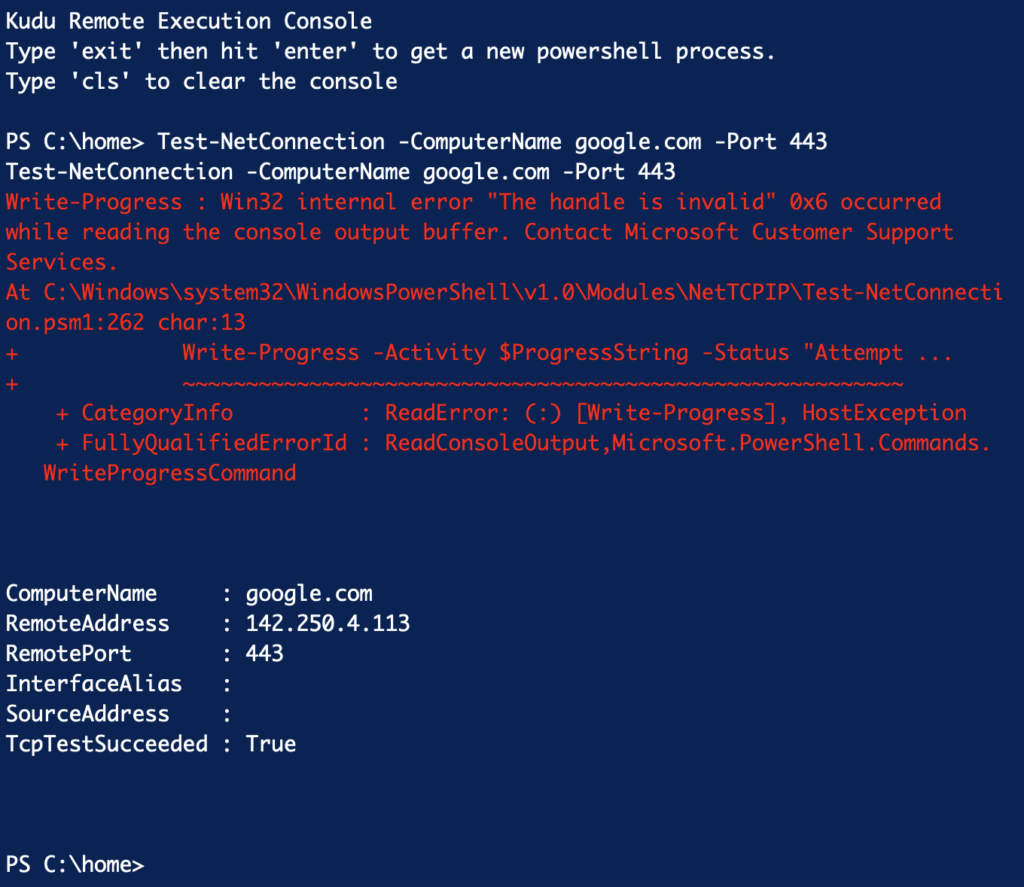
Use the Test-NetConnection command to perform a ping. An example below to ping google.com.
You may get some error messages but you can ignore them. You will ultimately get the following information if the TCP test succeeded.
You can also find more information from Microsoft’s website.