If you’re using Azure and on the Basic support plan, you won’t be able to raise any support tickets except for billing and subscription related issues.
In order to create support tickets, you will need to have a support subscription above Basic. You may choose from Developer, Standard or Professional Direct.
You can view the different subscription’s offerings here.
This post is targeted for those who are on Basic plan but need very short term support.
Can I purchase short term or “ad-hoc” Azure support?
The short answer is yes, but 1 month is the minimum subscription. Azure support subscription is not pro-rated.
Developer: US$29/month
Standard: US$100/month
Professional Direct: US$1,000/month
What is the main difference between Developer and Standard
The main difference is:
- Developer only communicates through email and have 1 SLA
- Standard allows both email or phone communications and 3 SLAs
For full comparison, you can visit Azure.
What happens after I upgrade from Basic
Your subscription starts immediately and your support cycle will be 1 month billing cycle. The default for support subscription is monthly recurring.
You will be able to see it under Cost Management > All Billing Subscriptions

How do I disable auto renewal?
If you’re confident that you only need 1 month of support or would like to end your support, you can disable auto renewal and allow the support subscription to lapse.
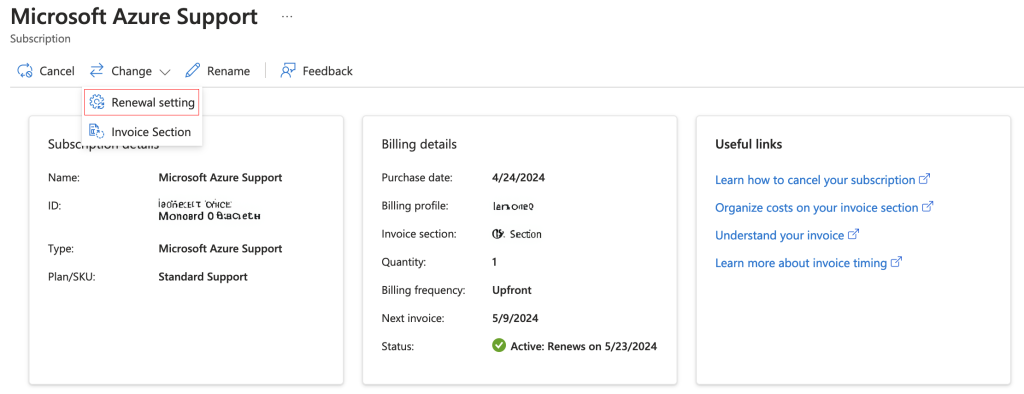
Go into Cost Management > All Billing Subscriptions and click on Microsoft Azure Support.

Click on Change > Renewal Setting
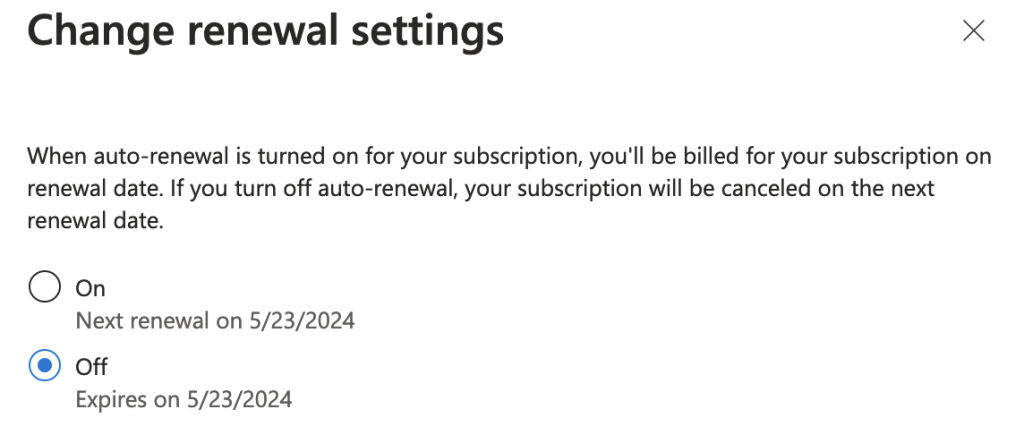
This brings up the side pane that allows you to update your renewal settings. Select Off and click on Save to disable auto renewal.
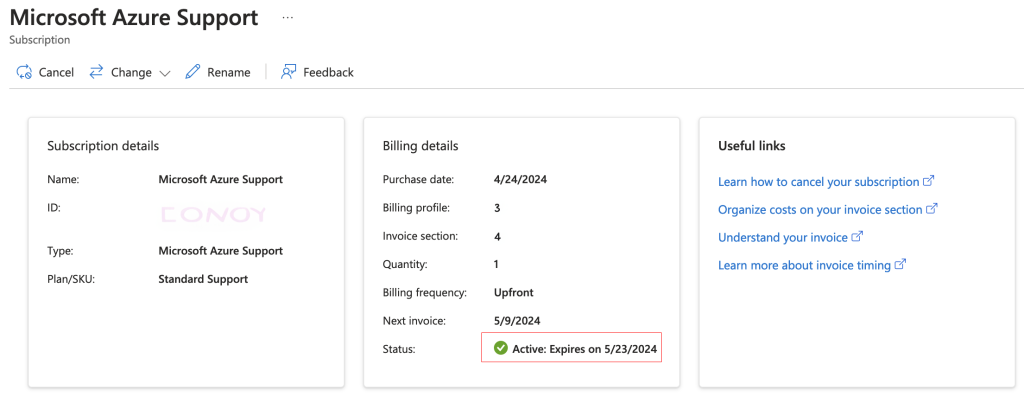
You should now see the status change from Active: Renews on x/xx/xxxx to Active: Expires on x/xx/xxxx.